Activity within your chosen period
Set the collection period and minimum message count to select people who show relevant activity, rather than simply being present in a source.
Collect Telegram audiences through messages, reactions, joins and polls. AdviGo filters help distinguish real users from bots and prepare your contact list for communication.
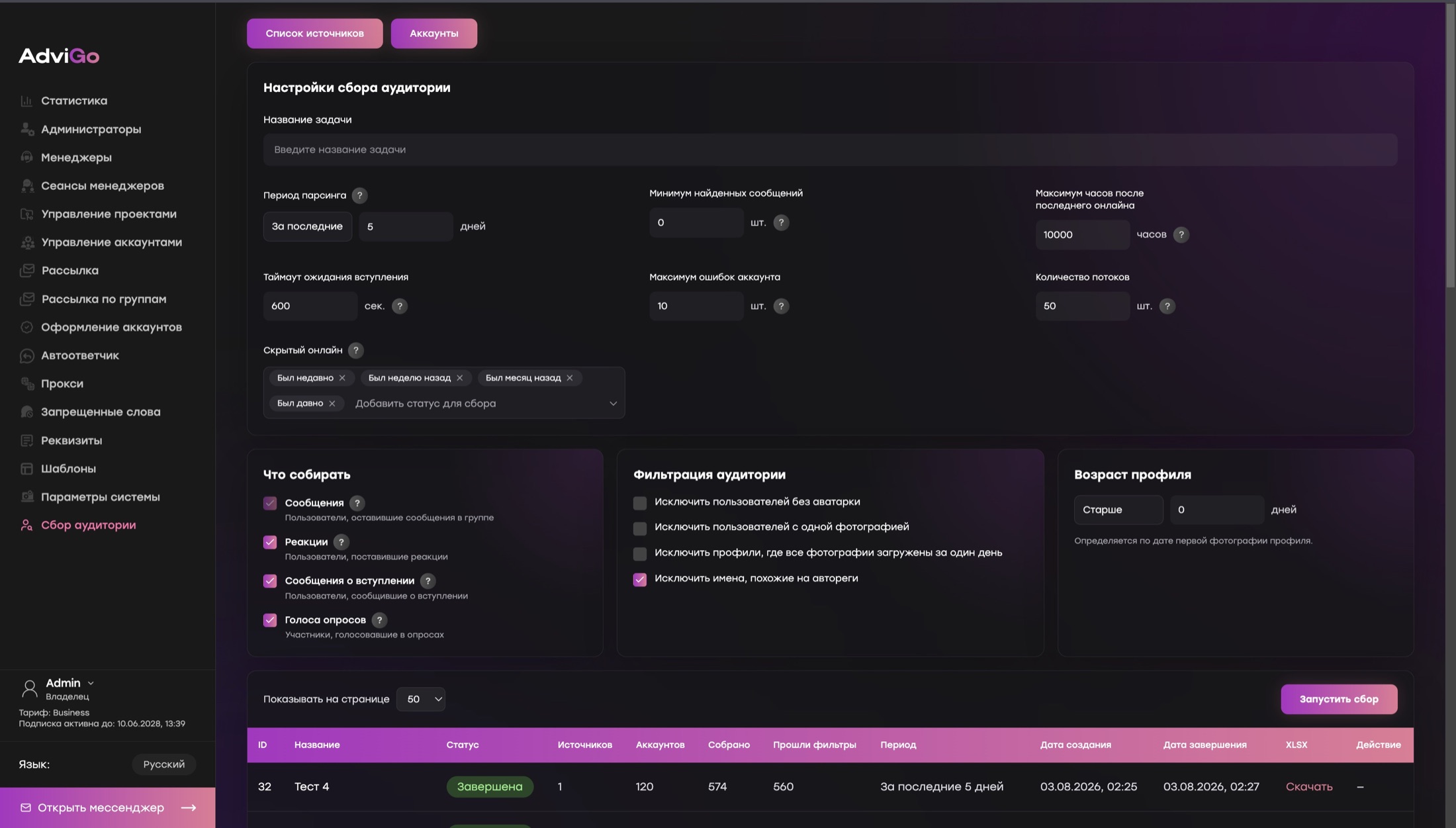
Identical empty profiles and signs of mass registration are not a strong basis for communication. AdviGo filters help exclude suspicious contacts while you prepare your list.
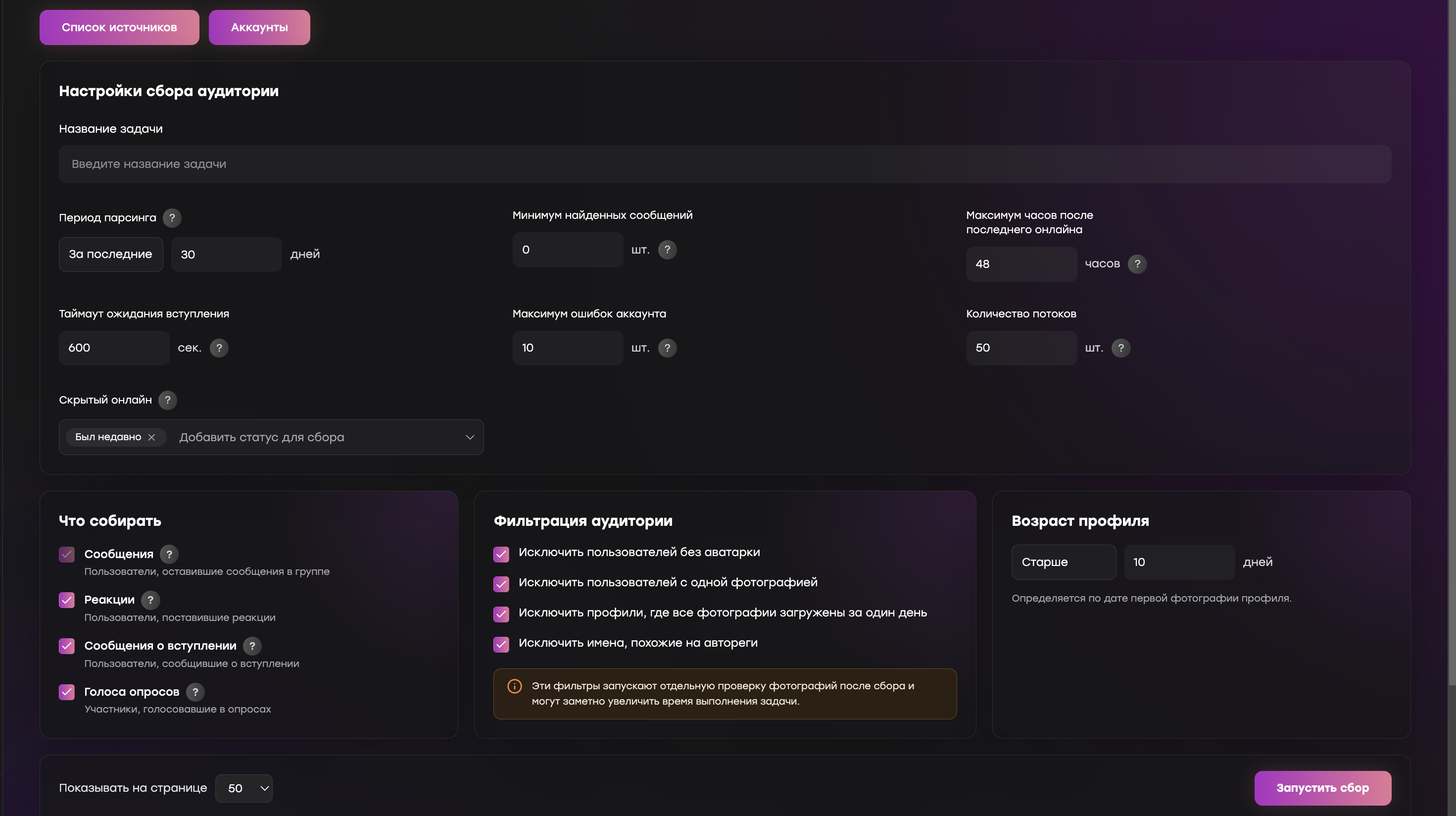
Combine profile characteristics with user activity to prepare an audience for your task.
Set the collection period and minimum message count to select people who show relevant activity, rather than simply being present in a source.
Set the maximum hours since last seen. If the exact time is hidden, use available Telegram statuses such as “Recently” or “A long time ago”.
Set a profile age threshold. AdviGo estimates it from the date of the first photo.
Configure the join-wait timeout, thread count and maximum account errors for your task’s volume and conditions.
Choose which events to include during collection. Then apply quality and activity filters to the resulting audience.
Users who have posted messages in the group.
Users who have left reactions.
Users identified through join messages.
Participants who have voted in polls.
The problem usually lies not in a single action, but between accounts, tasks and replies.
The number of contacts alone does not explain why an audience might be interested in your offer.
Combining different groups and activity signals makes outreach results difficult to analyze.
Duplicates and irrelevant contacts consume account time before a useful conversation even starts.
Each module handles a specific task, while your data stays within one working system.
Messages, reactions, joins and poll participation help define a more precise segment.
Build separate lists for projects, hypotheses, regions and competitor audiences.
Exclude profiles without an avatar, with only one photo, with all photos uploaded on one day, or with names resembling auto-registered accounts.
Download your contact list for analysis or keep working with it inside AdviGo.
Decide which action or source connects a user to your offer.
Keep different hypotheses separate until you test them, making results easier to compare.
Compare reply quality first, then scale the segment that performs best.
Messages, reactions, joins and poll votes, depending on the source and task you choose.
Yes. You can exclude users without an avatar, with only one photo, with photos uploaded on a single day, or with names resembling auto-registered accounts. Combine these filters with user activity for more precise audience selection.
Yes. Set the collection period, minimum message count and maximum hours since last seen. For hidden last seen times, choose available Telegram statuses such as “Recently” or “A long time ago”.
Yes. Duplicate contacts can be removed before you continue working with your list.
Yes. Your collected audience can be downloaded in XLSX format.
AdviGo imposes no separate limit. You choose the task settings and appropriate operating mode.
The full version of AdviGo is available for 24 hours before payment.